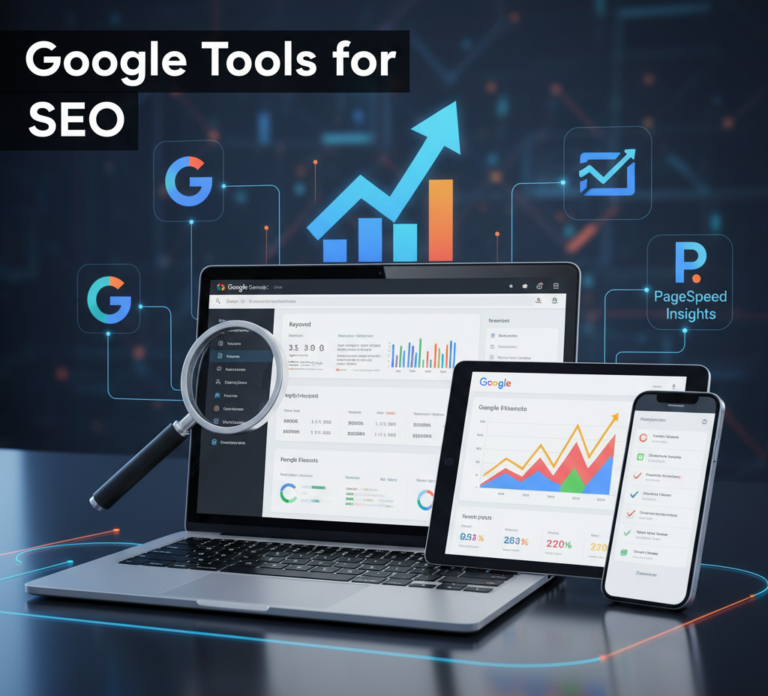
Search Engine Optimization (SEO) is essential for businesses, marketers, and website owners aiming to boost visibility, drive organic traffic, and improve conversions. Among all the tools available, Google’s suite of SEO tools is considered indispensable because they provide insights directly from the world’s largest search engine.
This article provides a comprehensive guide to Google tools for SEO, explaining their features, benefits, and best practices to help you achieve top search engine rankings in 2026.
Why Use Google Tools for SEO?
Google dominates the search engine market, and its tools provide accurate, real-time, and actionable insights into your website’s performance. Here’s why Google tools are critical for SEO:
- Direct Insights from Google – Data comes directly from the search engine, reflecting real user behavior.
- Free and Accessible – Many Google tools are completely free and easy to set up.
- Comprehensive Analytics – Track traffic, user behavior, and technical issues.
- Optimization Guidance – Receive actionable suggestions for improving rankings.
- Integration with Other Platforms – Easily integrate with Google Ads, Analytics, and Search Console.
Using Google tools ensures your SEO strategies are data-driven, reliable, and aligned with Google’s ranking factors.
Key Google Tools for SEO
Google offers a variety of tools that cover all aspects of SEO, from keyword research to performance monitoring.
1. Google Search Console
Google Search Console (GSC) is an essential tool for monitoring and maintaining your website’s presence in Google search results.
Key Features:
- Performance reports – Track clicks, impressions, and average rankings.
- Index coverage – Identify pages indexed by Google and fix errors.
- URL inspection – Check how Google views specific pages.
- Sitemaps and robots.txt – Submit sitemaps and control crawling.
- Mobile usability reports – Identify mobile optimization issues.
Best Practices:
- Regularly check for crawl errors and fix broken links.
- Optimize pages with high impressions but low click-through rates (CTR).
- Submit updated sitemaps to ensure all pages are indexed.
2. Google Analytics
Google Analytics (GA) provides in-depth insights into website traffic and user behavior.
Key Features:
- Monitor sessions, users, and page views.
- Analyze traffic sources: organic, direct, referral, and paid.
- Track user behavior, including bounce rate and time on page.
- Set up goals and conversions to measure SEO ROI.
- Segment traffic by location, device, and demographics.
Best Practices:
- Connect GA with Search Console for deeper insights.
- Track landing pages that drive the most traffic and optimize underperforming pages.
- Use GA data to guide content strategy and keyword targeting.
3. Google Keyword Planner
Google Keyword Planner is primarily used for PPC, but it’s also excellent for SEO keyword research.
Key Features:
- Discover keyword ideas based on search volume and competition.
- Analyze trends and seasonality for keywords.
- Filter by location, language, and device.
- Estimate search volume and traffic potential.
Best Practices:
- Focus on long-tail keywords with lower competition but high intent.
- Combine keyword data with content strategy for on-page optimization.
- Use trends to plan content calendars and seasonal campaigns.
4. Google Trends
Google Trends helps identify popular search topics and emerging trends.
Key Features:
- Explore search interest over time.
- Compare keywords and topics by popularity.
- Analyze regional search patterns.
- Discover related queries and rising keywords.
Best Practices:
- Use trends to create timely and relevant content.
- Identify regional SEO opportunities.
- Monitor industry trends to stay ahead of competitors.
5. Google PageSpeed Insights
Page speed is a ranking factor, and Google PageSpeed Insights evaluates website performance.
Key Features:
- Analyze desktop and mobile speed.
- Identify performance issues such as render-blocking resources and large images.
- Receive optimization suggestions for faster load times.
- Score pages on performance, accessibility, best practices, and SEO.
Best Practices:
- Optimize images, minify CSS/JS, and leverage caching.
- Monitor mobile performance, as mobile-first indexing is critical.
- Use suggestions to improve Core Web Vitals and user experience.
6. Google Mobile-Friendly Test
With mobile searches dominating, Google’s Mobile-Friendly Test is essential.
Key Features:
- Tests whether a webpage is mobile-optimized.
- Highlights viewport, font size, and clickable elements issues.
- Provides guidance for improving mobile usability.
Best Practices:
- Ensure all pages are responsive and easy to navigate.
- Fix errors like small text or unclickable buttons.
- Monitor mobile usability regularly as mobile-first indexing is standard.
7. Google Rich Results Test
Structured data improves visibility with rich snippets in search results.
Key Features:
- Test pages for structured data implementation.
- Identify errors or warnings in schema markup.
- Preview how content may appear in rich search results.
Best Practices:
- Add FAQ, product, or review schema where relevant.
- Regularly test updated pages to ensure schema validity.
- Enhance CTR by showing rich results in SERPs.
8. Google Alerts
Google Alerts helps monitor brand mentions and industry trends.
Key Features:
- Receive notifications for keywords, brand mentions, or competitors.
- Track content that mentions your business online.
- Monitor emerging industry topics for content ideas.
Best Practices:
- Set alerts for your brand, products, and relevant keywords.
- Use alerts to identify backlink opportunities.
- Monitor competitor mentions to adjust SEO strategies.
9. Google Data Studio
Google Data Studio (now Looker Studio) visualizes SEO data for better decision-making.
Key Features:
- Connect Google Analytics, Search Console, and Ads.
- Create custom dashboards and reports.
- Track KPIs and performance trends in real-time.
- Share reports with teams or clients.
Best Practices:
- Create dashboards for keyword rankings, traffic sources, and conversions.
- Use visualizations to identify performance gaps and opportunities.
- Automate reporting to save time and improve efficiency.
Benefits of Using Google SEO Tools
- Accurate data directly from Google.
- Cost-effective; many tools are free.
- Comprehensive insights for technical, on-page, and off-page SEO.
- Improved decision-making with actionable metrics.
- Enhanced ROI by optimizing campaigns based on real performance.
Google tools provide everything from keyword research and site audits to performance tracking and rich results, making them essential for any SEO strategy.
Best Practices for Using Google SEO Tools
- Combine multiple tools – Use Search Console, Analytics, and PageSpeed Insights together for a holistic view.
- Regular monitoring – Check performance metrics weekly or monthly.
- Align with business goals – Track metrics that matter for conversions, not just traffic.
- Test and optimize – Implement suggestions from PageSpeed, Mobile-Friendly, and Rich Results tests.
- Leverage visualizations – Use Data Studio for clear, actionable reports.
Consistency in using Google tools ensures sustainable SEO growth and data-driven decision-making.
Conclusion
Google tools for SEO provide everything you need to analyze, optimize, and track your website’s performance in 2026. From keyword research and technical audits to traffic analysis and structured data, these tools help businesses make informed decisions and improve search visibility.
By leveraging tools like Google Search Console, Analytics, Keyword Planner, PageSpeed Insights, and Data Studio, marketers can develop comprehensive SEO strategies that attract targeted traffic, boost conversions, and strengthen their online presence.
Investing time in mastering Google SEO tools ensures your website is optimized for search engines and user experience, giving your business a competitive edge in the digital landscape.