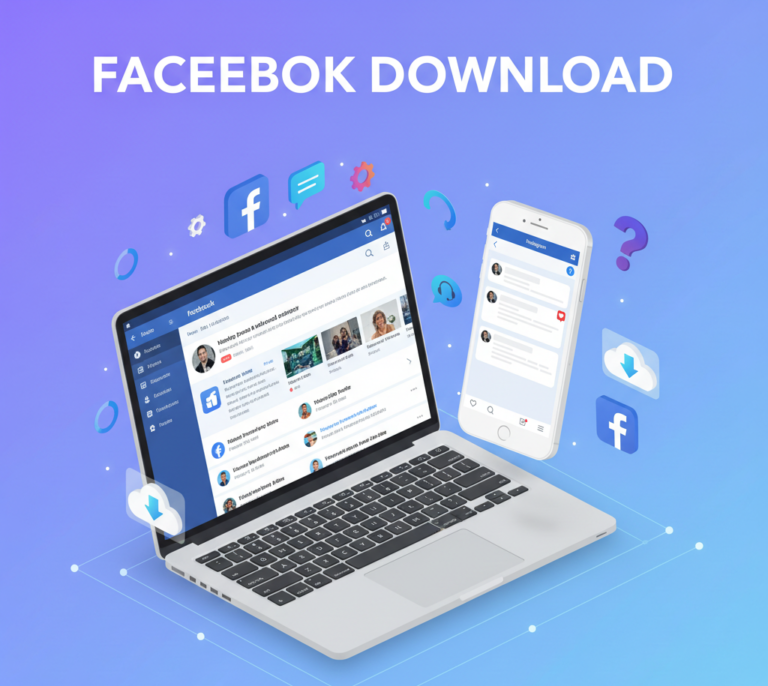
Facebook remains one of the world’s largest social media platforms, connecting billions of people globally. Whether you want to stay in touch with friends, follow your favorite brands, or manage a business page, understanding how to download Facebook and make the most of its features is essential.
This comprehensive guide explores everything about Facebook download, including app installation, account setup, features, troubleshooting, and tips for both personal users and businesses.
What is Facebook?
Facebook is a social networking platform that allows users to:
- Connect with friends and family
- Share photos, videos, and posts
- Follow pages and groups of interest
- Communicate via Messenger
- Promote businesses through pages and ads
With its mobile app and web version, Facebook offers convenience and accessibility for users on any device.
Why You Should Download Facebook
1. Stay Connected
Facebook enables you to maintain relationships regardless of distance. Messaging, commenting, and sharing posts make communication seamless.
2. Access to News and Entertainment
From trending news to video content, Facebook provides personalized feeds tailored to your interests.
3. Business Opportunities
Businesses can leverage Facebook to:
- Build brand awareness
- Run targeted ads
- Engage with customers
- Track analytics through Facebook Insights
4. Event Management
Facebook makes it easy to create and join events, making it a useful tool for social and professional gatherings.
How to Download Facebook
1. Downloading on Mobile Devices
Facebook is available on both Android and iOS devices:
For Android:
- Open Google Play Store
- Search for Facebook
- Tap Install
- Wait for the download and installation to complete
For iOS (iPhone/iPad):
- Open the App Store
- Search for Facebook
- Tap Get and authenticate with Apple ID
- Wait for installation
2. Downloading on Desktop
- Visit www.facebook.com
- Access the platform directly without an app
- Optionally, download Facebook Messenger for Desktop to chat without using the browser
3. Facebook Lite
For users with limited storage or slower internet:
- Download Facebook Lite from the App Store or Google Play
- Offers basic features with lower data usage
Setting Up Your Facebook Account
1. Sign Up
- Open the app or website
- Enter your name, email/phone number, password, date of birth, and gender
- Click Sign Up
2. Verify Account
- Check your email or SMS for the verification code
- Enter the code to confirm your account
3. Set Up Your Profile
- Add a profile picture and cover photo
- Fill in personal details: bio, education, work, location
- Customize privacy settings for posts and information
Key Features of Facebook
1. News Feed
- Displays posts from friends, groups, and pages you follow
- Personalized based on engagement and preferences
2. Messenger
- Facebook’s messaging service
- Supports text, voice, video calls, and group chats
3. Pages
- Businesses and public figures use pages to reach audiences
- Post updates, promotions, and engage with followers
4. Groups
- Communities of people with shared interests
- Can be public, private, or secret
5. Events
- Create and join events
- Send invitations and track RSVPs
6. Marketplace
- Buy and sell products locally
- Browse listings in various categories
7. Stories
- Temporary posts visible for 24 hours
- Include photos, videos, stickers, and polls
How to Use Facebook Effectively
1. Personal Users
- Post updates, photos, and videos to stay engaged with friends
- Like, comment, and share posts to interact with your network
- Join relevant groups and communities
- Set privacy settings for personal content
2. Businesses
- Create a Business Page to represent your brand
- Use Facebook Ads for targeted promotions
- Monitor performance with Facebook Insights
- Schedule posts and maintain consistent engagement
3. Content Strategies
- Mix photos, videos, and text posts
- Post during peak hours for maximum engagement
- Use Facebook Live for real-time interaction
Troubleshooting Facebook Download Issues
1. App Not Installing
- Check device storage and internet connection
- Restart the device and try again
- Clear cache for Android devices
2. Login Issues
- Reset your password if forgotten
- Ensure the account is verified
- Check for app updates
3. Slow Performance
- Clear app cache and data
- Use Facebook Lite for slower devices
- Update to the latest version
4. Notifications Not Working
- Check notification settings in app and device
- Ensure background app refresh is enabled
- Reinstall the app if necessary
Security and Privacy Tips
- Enable two-factor authentication
- Avoid sharing passwords
- Monitor active sessions and log out from unused devices
- Use privacy settings to control who sees your posts
- Report suspicious activity to Facebook support
Facebook for Businesses
1. Create a Facebook Business Page
- Go to Create Page
- Add business information and branding
- Customize call-to-action buttons
2. Advertising
- Run targeted ads using Facebook Ads Manager
- Define audience by demographics, interests, and behavior
- Track performance with analytics
3. Engagement Strategies
- Post consistently and use a content calendar
- Respond promptly to comments and messages
- Use Facebook Live and Stories for real-time interaction
4. Analytics
- Monitor reach, engagement, clicks, and conversions
- Adjust content and advertising strategies based on insights
Benefits of Using Facebook
- Global Connectivity: Connect with friends, family, and communities worldwide
- Business Growth: Reach targeted audiences efficiently
- Entertainment and News: Stay informed and entertained
- Event Management: Organize and participate in social and professional events
- Marketplace Opportunities: Buy and sell locally
Future of Facebook
- Enhanced AI Features: Improved content recommendations and moderation
- AR and VR Integration: Augmented reality filters and virtual interactions
- E-commerce Expansion: Seamless shopping experience through Marketplace and Shops
- Video Content Growth: Emphasis on Facebook Watch and video engagement
Conclusion
Downloading Facebook opens the door to a world of connectivity, entertainment, and business opportunities. Whether you are a casual user, content creator, or business owner, knowing how to download Facebook, set up your account, and leverage its features ensures a seamless and productive experience.
From personal engagement with friends and family to managing business pages and running targeted ads, Facebook continues to be an essential platform for social connection and digital growth.
By following best practices for security, content, and engagement, you can maximize the benefits of Facebook and enjoy a safe, interactive, and rewarding experience on the platform.