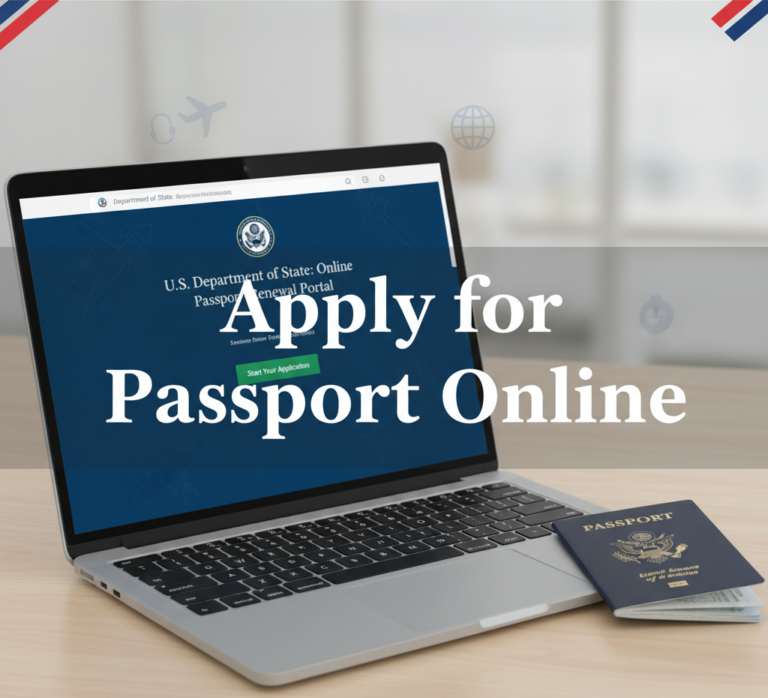
Applying for a passport online is now super convenient for many US citizens. The official US Department of State system lets eligible adults renew their passport book and/or card from home without visiting a post office or acceptance facility.
This guide walks you through everything in simple steps — who qualifies, what you need, current fees, and pro tips to make the process smooth. Whether you’re renewing before a vacation or just staying prepared, you’ll finish this feeling confident.
Table of Contents
- Introduction
- Who Can Apply for Passport Online in the US?
- Benefits of Applying for Passport Online
- Required Documents and Photo for Online Renewal
- Step-by-Step Guide to Apply for Passport Online
- Current US Passport Fees in 2026
- Tips for a Smooth Online Passport Renewal
- Frequently Asked Questions (FAQ)
- Conclusion
Who Can Apply for Passport Online in the US?
Not everyone can apply for passport online. The system is only for routine renewals of adult passports.
You qualify if all these are true:
- You are 25 years or older.
- Your most recent passport was issued when you were 16 or older and was valid for 10 years.
- Your current passport is undamaged and either expires within the next year or expired less than 5 years ago.
- You are not changing your name, date of birth, place of birth, or sex marker.
- You want routine service only (no expedited processing available online).
- You are currently in the United States (including territories).
Important: First-time passports, lost/stolen passports, damaged passports, name changes, or applications for minors usually require in-person application or renewal by mail using Form DS-82.
Benefits of Applying for Passport Online
Why choose to apply for passport online?
- Skip long lines and appointments at post offices or passport acceptance facilities.
- Complete most of the process digitally from your computer or device.
- Upload your passport photo directly (no need to print it for the application).
- Pay securely with a credit or debit card.
- Track your application status easily on the official site.
- Only mail your old passport after submission.
Many people finish the online part in 20–30 minutes and receive their new passport in 4–6 weeks for routine service.
Required Documents and Photo for Online Renewal
You’ll need:
- Your current (or most recent) US passport — you’ll mail this in after submitting the online form.
- A digital passport photo (2×2 inches, taken within the last 6 months, white background, neutral face, no glasses or head coverings unless for religious/medical reasons).
- A credit or debit card for payment.
- Reliable internet connection.
No extra proof of citizenship is usually required if you’re renewing an eligible undamaged passport.
Pro tip: Take your photo at home against a plain white wall with even lighting, or use a professional service and scan it at high quality.
Step-by-Step Guide to Apply for Passport Online
Here’s exactly how to apply for passport online:
- Confirm eligibility on the official site: travel.state.gov → Renew Online.
- Go to the official portal: Visit opr.travel.state.gov — this is the only authorized website.
- Create or log into your myTravel.gov account.
- Fill in your personal information exactly as it appears on your current passport.
- Upload your digital passport photo following the on-screen guidelines.
- Review everything carefully, then pay the fee online.
- Submit the application and receive your confirmation.
- Mail your old passport to the address provided (use a trackable method). Consider adding return shipping for faster delivery of your new one.
After the State Department receives your old passport, routine processing takes 4–6 weeks.
Current US Passport Fees in 2026
Fees for eligible online or mail renewals (routine service):
| Service | Passport Book | Passport Card | Book + Card |
|---|---|---|---|
| Adult Renewal | $130 | $30 | $160 |
Optional:
- 1-2 day return shipping for your new passport: around $22 (recommended).
- Expedited processing: Not available for online renewals (use mail if needed, +$60).
Fees can be confirmed on the official site and are non-refundable.
Bold tip: Online renewal saves the $35 acceptance fee that first-time in-person applications require.
Tips for a Smooth Online Passport Renewal
- Prepare your digital photo correctly — this is the most common reason for delays.
- Have your old passport ready before starting.
- Use a desktop or laptop for the best experience.
- Don’t wait until the last minute — allow 6–8 weeks before travel.
- Mail your old passport promptly using a secure, trackable envelope.
- Stick only to official .gov websites — avoid third-party services that charge extra.
- Save your confirmation number and tracking details.
Frequently Asked Questions (FAQ)
Can I apply for a first-time US passport online? No. First-time adult passports must be applied for in person with Form DS-11.
How long does online renewal take? Routine processing is 4–6 weeks after the State Department receives your old passport.
Is online renewal safe? Yes — only use opr.travel.state.gov. Never share info on unofficial sites.
Can I expedite my online renewal? No. Expedited service (+$60) is only available with mail renewal.
What if my photo gets rejected? You’ll be contacted and may need to upload a new one or switch to mail.
Do I have to mail my old passport? Yes — you must send it after submitting the online application.
Can I renew both book and card online? Yes, if you qualify.
Conclusion
Applying for a passport online is a huge time-saver for eligible US citizens. With the official State Department system, you can renew your passport book or card easily from home without appointments or extra paperwork.
Start early, double-check your eligibility, and always use official government sites. Safe travels ahead — whether for business, family visits, or adventure!
For the latest updates, visit travel.state.gov directly.