In the world of Search Engine Optimization (SEO), many marketers focus heavily on keywords, backlinks, and content creation. While these factors are important, one of the most underutilized yet highly effective SEO strategies is internal linking. Properly structured internal links not only improve website navigation but also help search engines understand your site’s structure, distribute authority, and boost rankings.
This article provides a comprehensive guide on internal links for SEO, covering strategies, best practices, examples, and tips to optimize your website for both users and search engines in 2026.
What Are Internal Links?
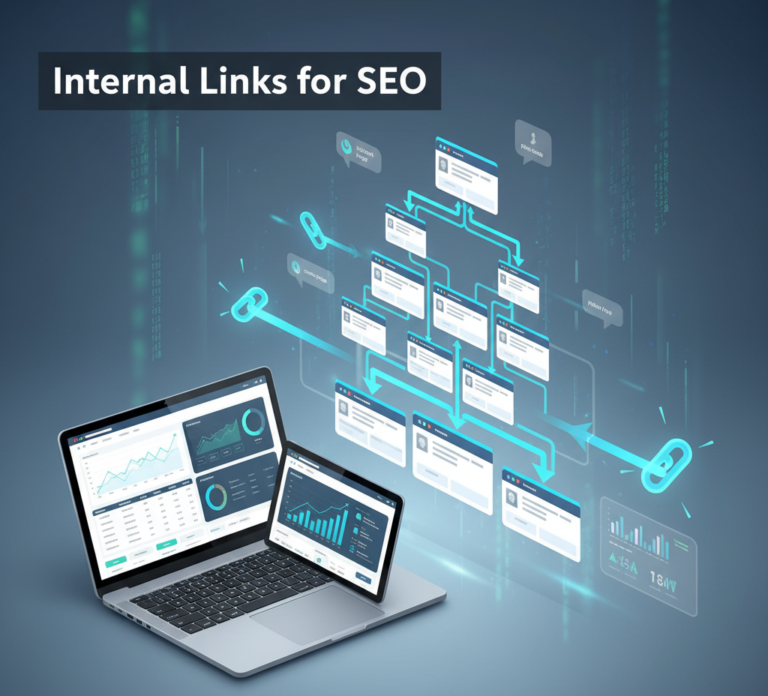
Internal links are hyperlinks that connect one page of a website to another page on the same website. Unlike external links, which point to other websites, internal links keep users and search engines within your site, enhancing usability, authority, and SEO performance.
Example:
If your blog post on “SEO strategies for beginners” links to another page on your site about “Keyword research techniques,” that is an internal link.
Why Internal Links Are Important for SEO
Internal linking plays a crucial role in both user experience and search engine optimization:
- Improves Crawlability
- Search engines use internal links to discover pages and understand the hierarchy of your website.
- Proper internal linking ensures that all important pages are indexed.
- Distributes Link Authority (PageRank)
- Internal links pass value from high-authority pages to other pages.
- Helps improve ranking potential of strategic pages, like product pages or cornerstone content.
- Enhances User Experience
- Guides visitors to related content, keeping them on your site longer.
- Reduces bounce rates and improves dwell time, which are positive signals for SEO.
- Supports Keyword Optimization
- Anchor text in internal links helps search engines understand the topic relevance of linked pages.
- Boosts Conversion Opportunities
- Linking strategically to product pages, services, or offers can increase clicks and conversions.
In short, internal linking is a powerful SEO strategy that benefits both users and search engines.
Types of Internal Links
Internal links can be categorized based on their purpose and placement:
- Navigational Links
- Found in menus, footers, and sidebars.
- Help users find essential pages like Home, About, Services, and Contact.
- Contextual Links
- Placed within content, such as blog posts or articles.
- Provide additional value and reference related content, enhancing topical authority.
- Footer Links
- Include important pages like Terms, Privacy Policy, and Services.
- Can reinforce site structure but should not be overused.
- Breadcrumb Links
- Show the user’s path on the website (e.g., Home > Blog > SEO Guide).
- Improves usability and helps search engines understand site hierarchy.
Best Practices for Internal Linking
Implementing internal links effectively requires strategy. Here are key best practices:
1. Create a Clear Site Structure
- Organize your website into categories and subcategories.
- Ensure important pages are no more than 3 clicks away from the homepage.
- Use hierarchical navigation so search engines can easily crawl and index pages.
2. Use Descriptive Anchor Text
- Anchor text should accurately describe the linked page.
- Avoid generic phrases like “click here” or “read more.”
- Include keywords naturally, but avoid over-optimization.
3. Link to Relevant Pages Only
- Links should provide value and context.
- Linking irrelevant pages can confuse users and reduce SEO effectiveness.
4. Maintain a Reasonable Number of Links
- Google recommends keeping internal links per page reasonable.
- Overloading a page with links can dilute link value and confuse visitors.
5. Link to High-Value Pages
- Prioritize cornerstone content, product pages, and high-converting pages.
- Use internal links to boost authority and visibility of these pages.
6. Update Old Content
- Regularly review older pages and blog posts.
- Add internal links to new content or updated pages to maintain SEO relevance.
7. Use Breadcrumb Navigation
- Implement breadcrumbs to improve usability and SEO.
- Helps users know their location on your site and reduces bounce rates.
8. Avoid Broken Internal Links
- Broken links hurt SEO and user experience.
- Regularly audit your site to identify and fix broken links using tools like Google Search Console or Screaming Frog.
Tools to Optimize Internal Links
Several tools can help analyze and optimize internal linking:
- Google Search Console – Identify pages with crawl errors or low indexing.
- Screaming Frog SEO Spider – Scan your site for broken links and link structure.
- Ahrefs Site Audit – Analyze internal link distribution and anchor text usage.
- SEMrush Site Audit – Detect orphan pages and improve internal link strategy.
- Yoast SEO Plugin (WordPress) – Suggests internal links while writing content.
Using these tools ensures your internal linking strategy is structured, effective, and scalable.
Common Internal Linking Mistakes
- Overstuffing Anchor Text – Using exact match keywords excessively can look spammy.
- Orphan Pages – Pages without internal links may not be indexed or receive traffic.
- Excessive Footer Links – Adding too many links in the footer can dilute SEO value.
- Ignoring Content Updates – Not linking new pages from older posts reduces discoverability.
- Broken Links – Links that lead to 404 pages negatively affect SEO and UX.
Avoiding these mistakes ensures internal links positively impact SEO performance.
Advanced Internal Linking Strategies
- Link Silos
- Group content into topics or clusters with internal links connecting related pages.
- Strengthens topical authority and helps search engines understand site relevance.
- Use Deep Links
- Link to pages deeper in the site structure, not just the homepage or top-level pages.
- Helps distribute authority evenly across the site.
- Contextual Linking in Blog Posts
- Within blog content, link to related articles, products, or service pages.
- Increases dwell time and improves SEO for multiple pages.
- Prioritize Orphan Pages
- Identify pages with no internal links and add links from relevant content.
- Prevents important pages from being ignored by search engines.
- Analyze Click Depth
- Ensure key pages are accessible within 3–4 clicks from the homepage.
- Reduces bounce rates and improves crawl efficiency.
Benefits of Internal Linking for SEO
- Better indexation by search engines – All pages are discoverable and crawlable.
- Improved keyword relevance – Anchor text helps Google understand page topics.
- Higher rankings for target pages – Authority is distributed to important content.
- Enhanced user experience – Visitors can navigate easily and find related content.
- Increased conversions – Strategic links guide users to products, services, and offers.
Internal linking is a low-cost, high-impact SEO strategy that benefits both search engines and users.
Conclusion
Internal links for SEO are a critical yet often overlooked strategy in 2026. They improve website structure, user experience, crawlability, and keyword relevance, all of which contribute to higher rankings and better conversions.
To leverage internal linking effectively:
- Create a clear site structure.
- Use descriptive and relevant anchor text.
- Regularly audit links and update content.
- Implement advanced strategies like link silos and deep links.
By mastering internal linking, businesses and website owners can maximize SEO performance, enhance user experience, and boost organic traffic, making it an essential part of any comprehensive SEO strategy.