In today’s digital era, managing multiple social media accounts efficiently is crucial for businesses and marketers. Meta Business Suite (formerly Facebook Business Suite) is a powerful tool designed to help businesses manage their Facebook and Instagram accounts from a single platform. Whether you are a small business owner, a social media manager, or a digital marketer, mastering Meta Business Suite can save time, streamline workflows, and improve your online presence.
This guide covers everything you need to know about Meta Business Suite, including setup, features, content management, analytics, advertising, and best practices to maximize your social media marketing efforts.
What is Meta Business Suite?
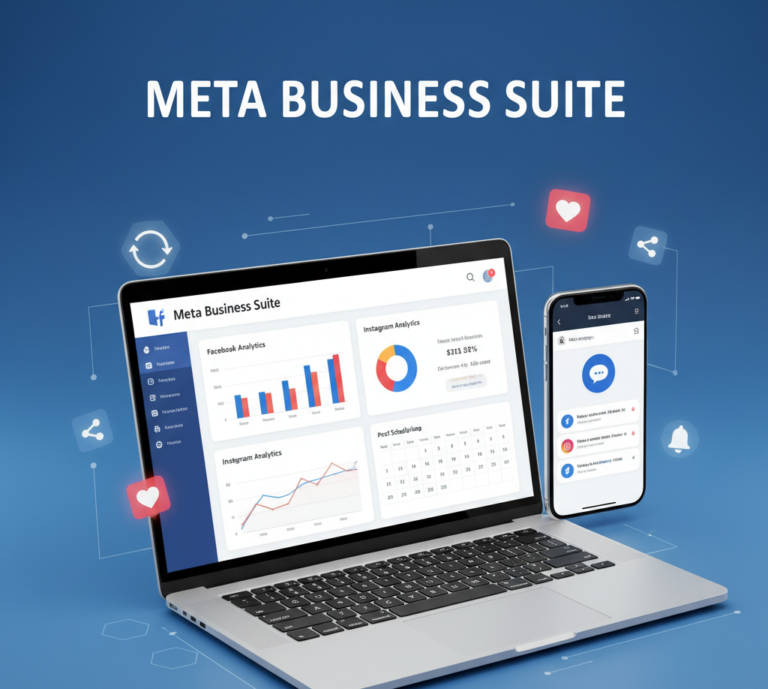
Meta Business Suite is a unified platform provided by Meta (formerly Facebook) that allows businesses to manage their Facebook and Instagram accounts simultaneously. It combines multiple tools into a single interface, enabling users to:
- Post and schedule content on both platforms
- Respond to messages and comments in one inbox
- Analyze performance metrics with insights
- Run and manage advertising campaigns
This tool is ideal for businesses aiming to maintain a consistent online presence while saving time and resources.
Why Use Meta Business Suite?
1. Centralized Management
Instead of switching between Facebook and Instagram apps, Meta Business Suite provides a centralized dashboard to manage multiple accounts efficiently.
2. Improved Productivity
With scheduling, content planning, and automation features, businesses can focus on strategy and creativity instead of manual posting.
3. Enhanced Customer Engagement
The unified inbox allows businesses to respond quickly to comments and messages from both platforms, improving customer satisfaction and engagement.
4. Data-Driven Decisions
Meta Business Suite provides insights and analytics that help businesses understand audience behavior, track performance, and optimize marketing strategies.
5. Cost-Effective Marketing
By combining organic content management and advertising tools, businesses can achieve more effective campaigns without additional software or resources.
Setting Up Meta Business Suite
1. Accessing the Platform
You can access Meta Business Suite via:
- Desktop: business.facebook.com
- Mobile App: Available on iOS and Android
2. Connect Your Accounts
- Connect your Facebook Page and Instagram Business Account
- Ensure you have admin or editor access to both accounts
3. Set Up Your Business Profile
- Add business name, contact information, and profile picture
- Include website URL and business hours
- Customize messaging settings for automatic replies
4. Assign Roles
- Grant team members access with roles such as Admin, Editor, Moderator, Advertiser, or Analyst
- Manage permissions to maintain security and control
Key Features of Meta Business Suite
1. Unified Inbox
- Respond to messages, comments, and mentions from Facebook and Instagram in a single interface
- Use saved replies to answer common questions quickly
- Track response times and engagement metrics
2. Content Creation and Scheduling
- Create posts for Facebook and Instagram simultaneously
- Schedule content for specific dates and times
- Preview posts to ensure consistency and brand alignment
3. Insights and Analytics
- Monitor engagement, reach, impressions, and audience demographics
- Track top-performing posts and campaigns
- Analyze trends to optimize future content
4. Advertising Tools
- Create and manage Facebook and Instagram ads
- Set targeting options based on location, demographics, interests, and behavior
- Monitor ad performance and adjust campaigns in real-time
5. Task Management
- Assign tasks to team members
- Track progress on campaigns and content planning
- Ensure deadlines are met efficiently
6. Mobile App Features
- Manage your accounts on the go
- Receive real-time notifications for messages, comments, and activity
- Post, schedule, and monitor ads from your smartphone
How to Use Meta Business Suite Effectively
1. Plan Your Content Calendar
- Use insights to determine the best posting times
- Schedule posts in advance to maintain consistency
- Mix content types: photos, videos, stories, reels, and carousel posts
2. Optimize Engagement
- Respond to comments and messages promptly
- Use interactive features like polls, quizzes, and stickers on Instagram Stories
- Encourage user-generated content to increase trust and engagement
3. Analyze Performance Regularly
- Check weekly and monthly analytics to evaluate growth
- Identify high-performing posts and replicate successful strategies
- Monitor follower demographics to tailor content for your audience
4. Run Targeted Ad Campaigns
- Define objectives: traffic, engagement, conversions, or lead generation
- Use A/B testing to compare ad creatives and audiences
- Adjust budgets and targeting based on performance metrics
5. Leverage Automation
- Set up automated responses for frequently asked questions
- Use saved replies for common queries
- Streamline workflows to reduce manual effort
Advanced Tips for Meta Business Suite
1. Integrate with Other Tools
- Connect Meta Business Suite with email marketing tools, CRMs, or analytics platforms
- Track customer journeys from social media to website conversions
2. Monitor Competitors
- Observe competitor engagement strategies
- Analyze their content and posting frequency to refine your approach
3. Test Different Content Formats
- Compare performance between videos, images, carousels, and reels
- Experiment with storytelling techniques to see what resonates best
4. Optimize Ads with Retargeting
- Retarget users who have interacted with your posts or visited your website
- Increase conversions by reaching audiences already familiar with your brand
5. Use Insights to Inform Strategy
- Study audience behavior to determine optimal posting schedules
- Adjust content based on engagement rates and demographics
Benefits of Meta Business Suite for Businesses
1. Time Efficiency
Manage all social media accounts from one platform, reducing time spent switching apps and platforms.
2. Better Engagement
Unified inbox and analytics help businesses respond quickly and understand audience preferences.
3. Data-Driven Marketing
Insights allow for smarter decisions, improving campaign effectiveness and ROI.
4. Scalability
Meta Business Suite supports businesses of all sizes, from small startups to large enterprises.
5. Cost Savings
Combines organic content management and advertising tools, minimizing the need for additional software.
Common Mistakes to Avoid
- Ignoring insights and analytics
- Posting inconsistently
- Overlooking customer messages and comments
- Not using scheduling and automation features
- Failing to align content with brand messaging
Avoiding these mistakes ensures that businesses maximize the benefits of Meta Business Suite.
Future of Meta Business Suite
- AI and Automation: Meta is integrating AI tools for content suggestions and automated responses
- Enhanced Analytics: More advanced reporting features to track ROI and customer engagement
- E-commerce Integration: Improved tools for social commerce, shopping, and product tagging
- Cross-Platform Innovations: Better integration with WhatsApp Business and Messenger for seamless communication
Staying updated with Meta’s features allows businesses to maintain a competitive edge in digital marketing.
Conclusion
Meta Business Suite is an essential tool for businesses looking to manage their Facebook and Instagram presence efficiently. From content creation and scheduling to analytics and advertising, it provides everything needed to grow engagement, drive conversions, and save time.
By leveraging the unified dashboard, automation tools, insights, and advertising features, businesses can streamline workflows, make data-driven decisions, and maximize their social media marketing impact. Whether you are a small business or a large enterprise, mastering Meta Business Suite is a key step toward online success in today’s competitive digital landscape.