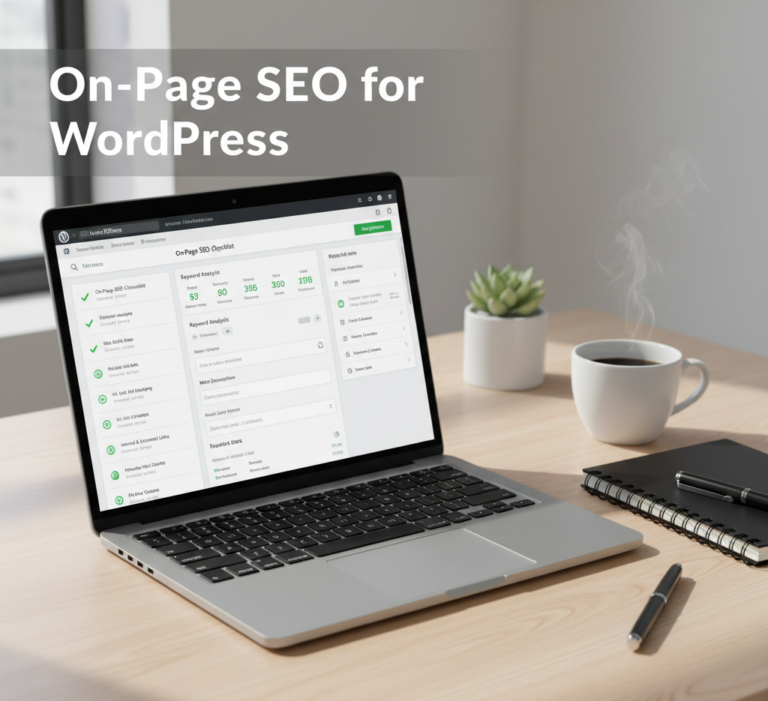
Optimizing your WordPress website for search engines is essential for driving organic traffic, increasing visibility, and improving user engagement. On-page SEO for WordPress ensures that every page and post is structured, optimized, and aligned with search engine best practices.
This comprehensive guide explores the importance of on-page SEO, key elements, practical WordPress optimization techniques, and advanced strategies to maximize your website’s performance.
What Is On-Page SEO?
On-page SEO refers to the optimization of individual web pages to improve their search engine rankings and attract relevant traffic. Unlike off-page SEO, which focuses on backlinks and external factors, on-page SEO involves everything visible on the page and the underlying HTML code.
Key components include:
- Content quality and keyword usage
- Meta tags (title, description)
- Headings and internal linking
- URL structure
- Image optimization
- Page speed and mobile-friendliness
For WordPress websites, on-page SEO is particularly important because it helps search engines understand your content, index pages correctly, and rank your site for target keywords.
Why On-Page SEO Matters for WordPress
Optimizing your WordPress site is critical for several reasons:
1. Improved Search Rankings
Search engines like Google use on-page signals to determine relevance. Properly optimized content ranks higher for target keywords.
2. Better User Experience
A well-structured page improves readability, navigation, and engagement, which reduces bounce rates.
3. Increased Organic Traffic
Higher rankings lead to more visibility, attracting relevant visitors without paid advertising.
4. Easier Content Management
WordPress offers tools and plugins that simplify on-page SEO, allowing even beginners to optimize content effectively.
Key Elements of On-Page SEO for WordPress
Optimizing your WordPress pages involves multiple factors. Let’s break them down:
1. Keyword Research
Identify relevant keywords that your audience is searching for. Focus on:
- Primary keywords: Main topic of your page
- Secondary keywords: Supporting terms and LSI (Latent Semantic Indexing) keywords
- Long-tail keywords: Specific search queries with lower competition
Tools like Google Keyword Planner, Ahrefs, and Semrush can help identify keywords that drive traffic.
2. Optimized Page Titles
Your page title is the most important on-page SEO element. Best practices:
- Include your target keyword near the beginning
- Keep titles under 60 characters
- Make them descriptive and engaging
For example:On-Page SEO for WordPress: Complete Optimization Guide 2026
3. Meta Descriptions
Meta descriptions summarize your page content for search engines. Tips:
- Include your primary keyword
- Keep under 160 characters
- Write a compelling call-to-action to improve click-through rates
Plugins like Yoast SEO or Rank Math allow easy editing of meta descriptions in WordPress.
4. Heading Tags (H1, H2, H3)
Headings structure your content, making it easier for users and search engines to understand:
- Use H1 for the main page title (usually auto-generated by WordPress themes)
- Use H2 for main sections and H3 for subsections
- Include keywords naturally in headings
Proper heading hierarchy improves readability and SEO relevance.
5. URL Structure
Clean and descriptive URLs are important for search engines:
- Include target keywords in URLs
- Avoid unnecessary numbers or symbols
- Keep URLs short and readable
Example:www.yoursite.com/on-page-seo-wordpress
WordPress allows you to customize permalinks in Settings > Permalinks.
6. Content Optimization
High-quality content is the backbone of on-page SEO:
- Aim for comprehensive content (1,500–2,000 words for competitive topics)
- Use primary and secondary keywords naturally
- Include images, tables, and bullet points for readability
- Avoid keyword stuffing
Regularly updating content keeps it relevant and helps maintain rankings.
7. Image Optimization
Images enhance user engagement but can affect page speed if not optimized:
- Use descriptive file names with keywords
- Add alt text for accessibility and SEO
- Compress images to reduce load time
- Use WebP format for faster loading
Plugins like Smush or ShortPixel can automate image optimization in WordPress.
8. Internal and External Linking
Linking improves navigation, spreads link equity, and boosts SEO:
- Link to relevant internal pages to guide users and search engines
- Include authoritative external links to support your content
- Use descriptive anchor text
Proper linking enhances content authority and helps search engines crawl your site effectively.
9. Mobile Optimization
Google uses mobile-first indexing, meaning your mobile version affects rankings:
- Ensure your WordPress theme is responsive
- Test page load speed on mobile devices
- Avoid intrusive pop-ups that hurt user experience
Tools like Google Mobile-Friendly Test can help identify mobile issues.
10. Page Speed Optimization
Site speed is a crucial ranking factor:
- Minimize HTTP requests
- Enable caching using plugins like WP Rocket or W3 Total Cache
- Optimize CSS and JavaScript files
- Use a Content Delivery Network (CDN) like Cloudflare
Faster-loading pages improve rankings and reduce bounce rates.
11. Schema Markup
Structured data (schema) helps search engines understand your content:
- Add schema for articles, reviews, products, and FAQs
- Use plugins like Schema Pro or Yoast SEO to implement markup
- Enhances rich snippets in SERPs
12. Social Sharing Integration
Encourage content sharing to increase traffic and engagement:
- Add social share buttons
- Optimize Open Graph and Twitter Card tags
- Plugins like Social Snap or Monarch can automate sharing
Top WordPress Plugins for On-Page SEO
Several plugins simplify on-page SEO for WordPress:
- Yoast SEO – Comprehensive on-page SEO and readability analysis
- Rank Math – Advanced SEO features with keyword tracking and schema
- All in One SEO (AIOSEO) – Easy setup, meta optimization, and sitemaps
- WP Rocket – Speeds up your site and improves core web vitals
- Smush / ShortPixel – Image optimization plugins for faster load times
These tools reduce manual effort and ensure SEO best practices are consistently applied.
Best Practices for On-Page SEO in WordPress
- Perform keyword research before writing content
- Use descriptive and keyword-rich headings
- Optimize images and use alt text
- Ensure mobile responsiveness and fast page speed
- Link internally and externally strategically
- Monitor and update content regularly
- Use SEO plugins to streamline optimization
Consistently following these practices improves search engine rankings, user experience, and content performance.
Advanced On-Page SEO Strategies
- Implement content clusters linking related topics
- Use LSI keywords to enhance semantic relevance
- Integrate video and multimedia content to increase engagement
- Track analytics with Google Search Console and Google Analytics
- Use A/B testing to optimize meta titles and descriptions
These strategies can give your WordPress site a competitive advantage in search results.
Conclusion
On-page SEO for WordPress is essential for any website seeking long-term organic growth. From optimizing meta tags and headings to enhancing page speed and mobile usability, every element contributes to better rankings and user engagement.
By leveraging WordPress plugins, keyword research, and best practices, you can create content that is search-engine-friendly, engaging, and competitive. Consistently monitoring and updating your content ensures your website remains relevant and continues to attract valuable organic traffic.
Mastering on-page SEO on WordPress is not just about technical tweaks—it is about creating a holistic, user-focused, and search-optimized website that converts visitors into loyal users.